
Onboarding · your go-live plan
How we test and launch your AI team
We never switch your AI team on for every customer at once. First we test it on a test agent, then we live-test it on your real WhatsApp number, then a builder hands it a handful of real conversations a day and grows that number only as the agent earns it. Most rollouts reach full activation in three to five days, and your people can step into any chat at any time.

Why we roll out in stages
Plenty of tools switch an AI agent on for every customer on day one. We don't. Your AI team only ever handles a real customer once it has shown it can, on your own conversations, with our builders watching.
- No customer meets an untested agent. It has to pass our scenarios before it touches a single live chat.
- You see real performance before full rollout. We start on a few real conversations, not a demo, so you know how it does on actual questions.
- Rollback is instant. Switch the agent off, or reassign a conversation to a human, at any point.
Before we start: your team runs the inbox
For a brand-new account, we begin with no AI at all. Your customer-service team answers conversations in the respond.io inbox as normal for a short while.
Running the inbox by hand first is not a delay, it is the groundwork. It does two things for the rollout:
- Your team gets fluent in the inbox: assigning, replying, closing, snippets. New to it? Start with the respond.io basics guide.
- Our builders read your real conversations and see which questions your customers ask most, so the agent is trained on what actually comes in, not on guesses.
First: testing on a test agent (UAT)
Before anything goes near a real customer, our UAT team tries to break the agent in a safe test panel, using the questions we saw in your inbox plus the awkward edge cases.
UAT stands for User Acceptance Testing. Our UAT team sits down and puts your AI team through a full battery of scenarios, questions and requests: the everyday ones, the tricky ones, and the requests it should hand to a human. This all happens on a test agent, in respond.io's built-in Test panel, where nothing it says or does touches a live conversation.
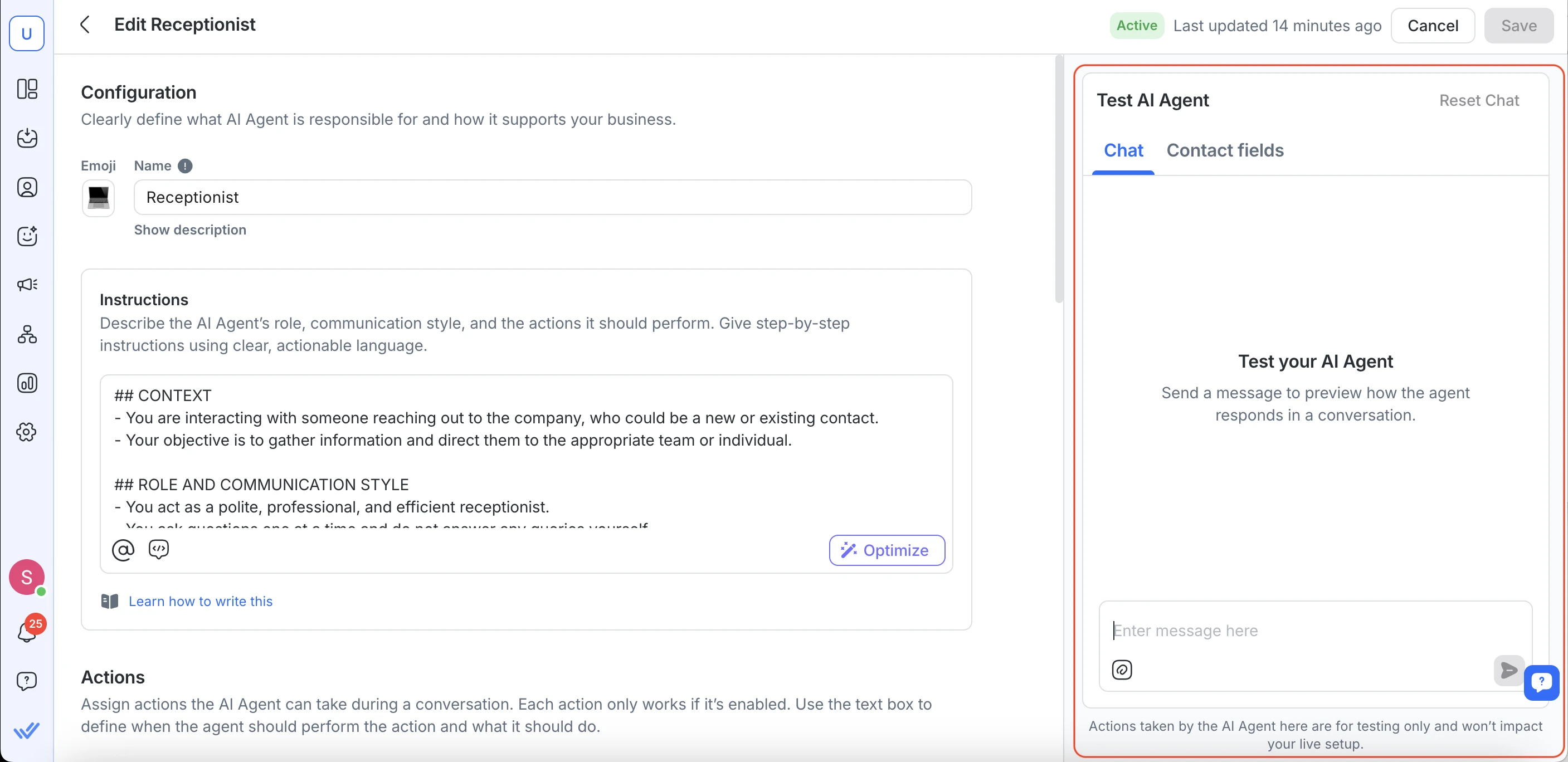
Every reply has to clear the same bar before we go any further:
- Correct answers to your real, common questions.
- The right tone for your brand.
- A clean hand-off to a human when the question is out of its depth.
- Actions fire correctly (tagging, routing, follow-ups).
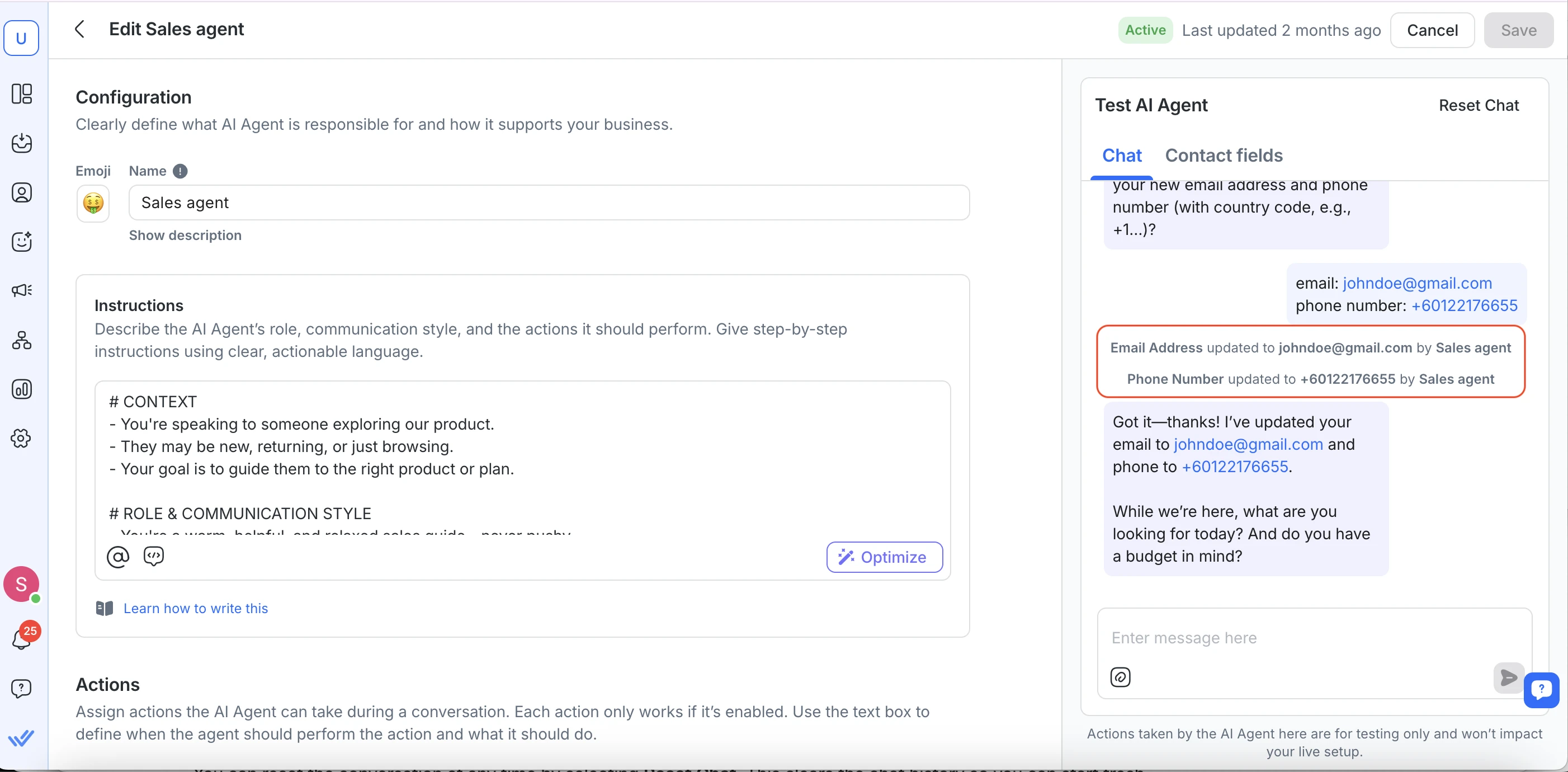
Then: live testing on your real number
A test agent is not quite the real thing. So once it passes, we test the way your customers actually reach you: we message your real WhatsApp number, live, and watch what happens end to end.
We message your live WhatsApp number ourselves, exactly like a normal customer would, and check the whole path in production: the message lands on the right channel, the agent picks it up, the reply comes back correctly, and any Actions (tags, routing, follow-ups) fire the way they should.
This is where we confirm the agent behaves in the real world exactly as it did in the safe panel. Only once live testing looks right do we start putting real customers in front of it.
Illustrative example. The message goes to your real number, but the sender is us, running a live test your team has been told about.
Phase 1: controlled live conversations
Now the agent handles real customers, but only a few, and only the ones we choose. This is the most careful part of the whole rollout.
Each day, one of our builders hand-picks 5 to 10 new conversations and assigns them to the agent. Everything else stays with your human team. Nothing is left to chance: we choose which conversations the agent sees.
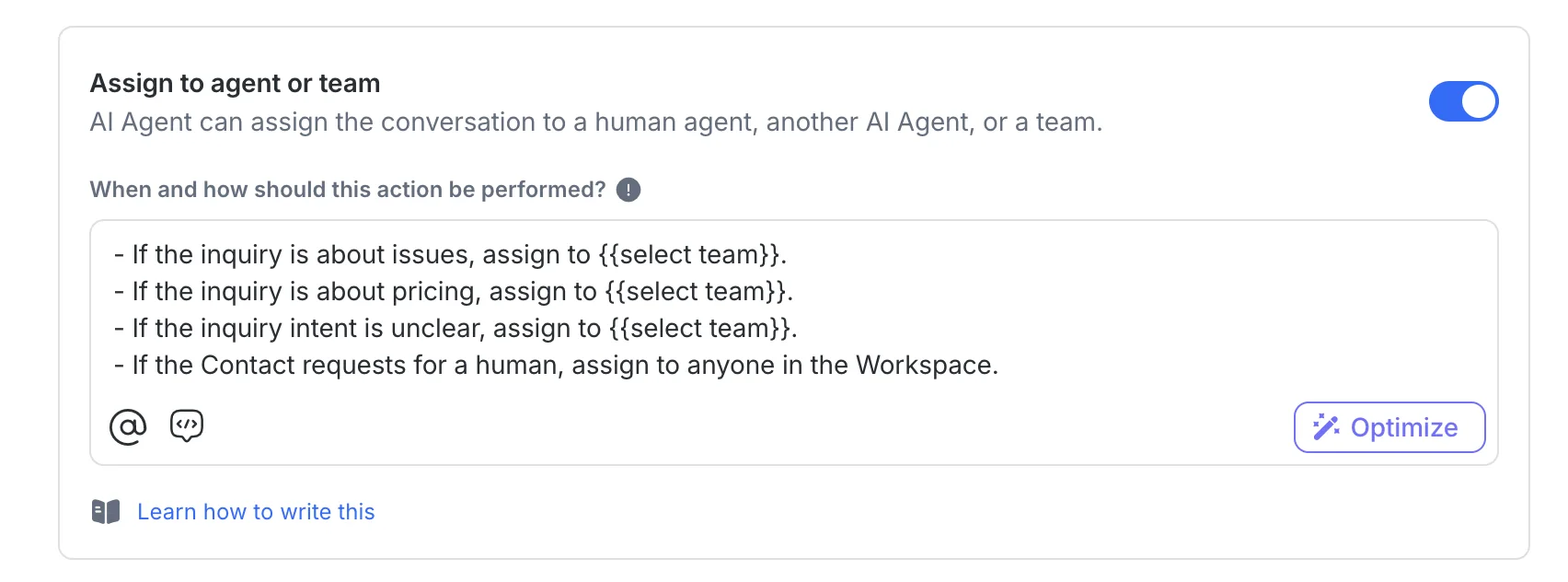
We watch how it handles each one. When the agent is answering those well, we assign more the next day. If a conversation goes sideways, a human takes it straight back and we adjust the agent. We grow the number only as fast as the agent earns it.
- Did it answer correctly and completely?
- Did it stay on-brand and polite?
- Did it pass the customer to a human at the right moment?
- Did it take the right Actions (tags, routing, follow-ups)?
What a hand-picked conversation looks like
A real example of the kind of everyday chat we assign first: a common question, answered cleanly, with a human ready to step in if needed.
Illustrative example with a fictional business. During Phase 1 a real teammate is watching this exact conversation and can take over in one tap.
Phase 2: full activation and monitoring
Once the agent is consistently handling the assigned conversations well, we switch it fully on and keep a close watch.
From now on the agent picks up all new conversations automatically. We keep monitoring every active chat and keep tuning its Instructions and Actions as real questions come in. The rollout does not end at go-live, it settles into steady monitoring.
Your team is never locked out. Anyone can open a conversation and take over from the agent at any time, and we can switch the agent off instantly if you ever need to.
The whole rollout at a glance
Five stages, each one earned before the next begins. The taller the bar, the more of your live conversations your AI is trusted with, from zero to your whole inbox.
Timings vary with how much conversation history we have to learn from and how broad the agent's job is. We will give you a specific plan on your go-live call.
What we need from you
The rollout is ours to run. A few things from your side keep it quick and safe.
Before we start
- Keep using the inbox during the baseline period so we have real conversations to learn from.
- Tell us your non-negotiables: the scenarios that must never go wrong, so UAT covers them first.
- Give us access in respond.io. We will walk you through exactly what we need.
During Phase 1
- Be reachable for a quick daily check-in so we can confirm what to expand the next day.
- Flag anything that reads wrong to you in an assigned chat. Your eye on brand and detail sharpens the agent fast.
- Take over whenever you want. Stepping into a conversation is always fine and never breaks anything.
Ready to start your rollout?
Book a short go-live call and we will map your must-win scenarios, set your baseline, and put a date on Phase 1. Prefer to chat first? Message us on WhatsApp.